I can no longer post pictures

  • BushMoot: Come along to the amazing Summer Moot 31st July - 5th August (extended Moot : 27th July - 8th August), a festival of bushcrafting and camping in a beautiful woodland PLEASE CLICK HERE for more information.
Posting pictures as in attaching the files direct to the post with the paper-clip Attach files button? The function is still there for me. Is the button missing, just not work, do you get any error messages?

Are you able to go to the earlier posts and add or remove photo attachments?
 
The "Attach Files" button with the paper clip is still there, just doesn't work any more (last couple of weeks.) This has hit me in 2 other wood carving forum sites where I should have photo-posting privileges.

I will call the local Computer shop as they were last to work over this POS laptop.
 
It does sound like a problem on your computer, but Google shows that it isn't an uncommon problem on XenForo forums either.

"Just doesn't work" covers a multitude of sins. For instance, clicking on it and nothing happens, vs clicking on it and getting the file selection window but being unable to select, vs selecting and it not displaying. A lot of the complaints in that Google search show files attaching but having a line through their name and not displaying.

My natural suspicion is that your computer has performed some sort of automatic update while you weren't looking, but I am not savvy enough to know what it might be.

There are a lot of much more computer literate folk here, maybe someone else can chime in?

Chris
 
Thanks Chris. It's really weird.
I go through the motions to select a photograph from my files.
Load the thing and it looks like I sit and wait as usual.
Except that the thumbnail image doesn't appear in the little box.
Just did a photo post in Wood Carving Illustrated. Worked 100%as usual.
 

Attachments

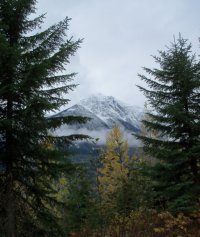
  • Holmes1013Cs.jpg
    Holmes1013Cs.jpg
    139.8 KB · Views: 3
Was that the same picture that would not work before? I believe that pictures can be too large, but usually that gives a message that the image was too many pixels wide or high.
 
No, a variety of other pictures, in a minute I'll try another one.
As a rule after editing, I crop each pic to "internet large" = 480 x 640 pixels.
That normally comes out around 115kB. I never try to post bigger than 150kB.
 

Attachments

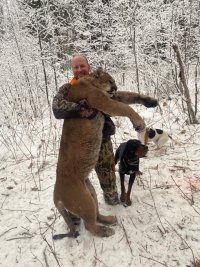
  • McBride Cat.jpg
    McBride Cat.jpg
    137.8 KB · Views: 4
That worked OK. Next is a pic that might be oversize.
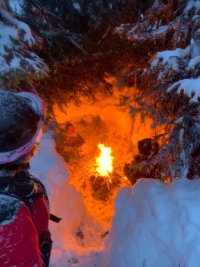
This is how big an emergency shelter can be during a white-out blizzard. The boys spent a hungry night but S&R found them next morning.
 

Attachments

  • Overnight II.jpg
    Overnight II.jpg
    198.2 KB · Views: 5

BCUK Shop

We have a a number of knives, T-Shirts and other items for sale.

SHOP HERE